
Wi-Fi, Remote Work, and Guest Expectations in Topsail Island Vacation Rentals
Reliable Wi-Fi is no longer optional for Topsail Island vacation rentals. Guests expect strong internet for streaming, remote work, school, communication, entertainment, and longer off-season stays.
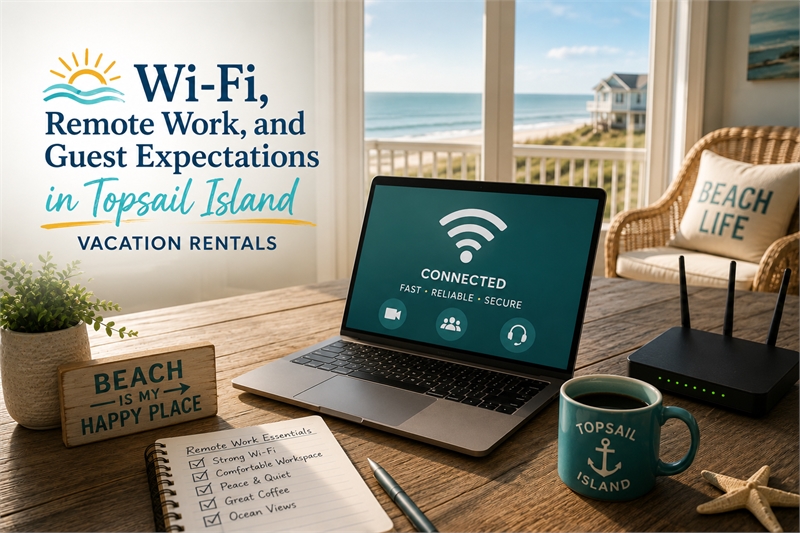
Reliable Wi-Fi has become one of the most important amenities in a Topsail Island vacation rental.
For many guests, internet access is no longer a bonus. It is expected.
Families need Wi-Fi for streaming, tablets, phones, laptops, school assignments, work emails, video calls, weather updates, restaurant searches, maps, and communication. Remote workers may need a dependable connection for meetings, deadlines, file uploads, and longer stays. Even guests who come to the beach to unplug often still expect the property to have working internet when they need it.
On Topsail Island, this matters for more than convenience. Reliable Wi-Fi can affect guest satisfaction, reviews, repeat bookings, shoulder-season demand, and rental income. A property can have a great location, beautiful views, and strong beach access, but if the internet does not work well, some guests may still leave frustrated.
At Discover Topsail Island, our real estate and vacation rental articles are written from firsthand local experience. We understand Topsail Island as residents, licensed North Carolina real estate brokers, coastal property owners, vacation rental investors, and local small business owners. We know that guest expectations have changed. A beach rental is still about location, comfort, cleanliness, and experience, but technology now plays a larger role than many owners realize.
This guide explains why Wi-Fi matters, how remote work has changed guest expectations, and what Topsail Island vacation rental owners should consider when setting up and marketing their properties.
Wi-Fi Is Now a Core Vacation Rental Amenity
There was a time when beach vacation guests were satisfied with basic cable, a few board games, and limited technology. That is no longer the standard for most vacation rental guests.
Today, Wi-Fi is often viewed the same way guests view air conditioning, hot water, clean bathrooms, and working appliances. They expect it to work.
Guests use Wi-Fi for:
- Streaming movies and shows
- Remote work
- Video calls
- Schoolwork
- Online gaming
- Weather updates
- Restaurant searches
- Navigation
- Beach condition updates
- Messaging family members
- Smart TVs
- Security devices and smart locks
- Music
- Travel planning
A weak or unreliable connection can quickly become a guest complaint. It may not matter that the beach is beautiful if the guest cannot join an important work call or stream a movie for the kids during a rainy evening.
For vacation rental owners, Wi-Fi should not be treated as a minor detail. It is part of the guest experience.
Remote Work Has Changed Beach Rental Demand
Remote work has changed how some guests use vacation rentals.
Instead of only booking traditional Saturday-to-Saturday summer vacations, some guests now look for places where they can work part of the day and enjoy the beach before or after work. This can be especially important during spring, fall, winter, and longer shoulder-season stays.
A guest may choose Topsail Island because they want:
- A quieter place to work
- A longer beach stay
- A change of scenery
- A family trip without using all vacation days
- A work-from-beach setup
- A place to extend a weekend
- A winter or off-season escape
- A property where one person can work while others enjoy the beach
This creates opportunity for owners.
A property that supports remote work may appeal to a broader guest pool than one marketed only for summer vacations. Reliable internet, a comfortable workspace, good lighting, and a quiet area can help make a property more attractive outside peak season.
Remote work does not replace traditional vacation demand, but it can strengthen a rental’s appeal.
Guests Expect Wi-Fi to Match the Property
Guest expectations depend partly on the property’s price and presentation.
If a rental is marketed as a premium property, guests expect premium functionality. That includes reliable internet. If a property is positioned as family-friendly, guests expect enough Wi-Fi strength for multiple devices. If a property is advertised as work-friendly, guests expect the connection to support actual work.
Owners should be careful about overpromising.
There is a difference between saying a property has Wi-Fi and saying it is suitable for remote work. If the connection is weak, inconsistent, or limited to certain rooms, the listing should not create unrealistic expectations.
Guests may become frustrated if:
- The Wi-Fi is slow
- The router is outdated
- The signal does not reach bedrooms or decks
- Streaming buffers constantly
- Video calls drop
- The password is hard to find
- The network name is unclear
- The listing promised work-friendly internet but the connection is unreliable
- The owner or manager cannot troubleshoot problems quickly
Wi-Fi does not have to be perfect in every property, but it does need to match what the listing promises.
Streaming Has Become Part of the Guest Experience
Many guests expect to stream their own entertainment.
Families may want Netflix, Disney+, Hulu, YouTube, Prime Video, sports, or other streaming services. Children may want tablets or shows after the beach. Adults may want movies at night. Rainy days often increase the demand for entertainment inside the rental.
For owners, this means the internet and TV setup should be simple.
Common guest frustrations include:
- Smart TVs not connected to Wi-Fi
- Too many remotes
- Confusing instructions
- Outdated TVs
- Weak signal in bedrooms
- Streaming apps not available
- Guests unable to log out of accounts
- TVs too small for the room
- No clear explanation of what is provided
The best setup is usually simple, reliable, and easy to understand.
Owners do not always need to provide paid streaming subscriptions, but they should clearly explain what is available and whether guests can log into their own accounts. Instructions should be easy to find and written in plain language.
A complicated entertainment setup can create unnecessary guest messages and frustration.
Wi-Fi Problems Can Hurt Reviews
Internet issues can show up in reviews quickly.
A guest may not mention good Wi-Fi if it works well, but they may absolutely mention it if it fails. This is especially true if they needed the internet for work, school, children, streaming, or communication.
Common review complaints include:
- “Wi-Fi was spotty.”
- “Internet did not work well.”
- “Could not take work calls.”
- “Streaming kept buffering.”
- “Kids could not use tablets.”
- “No signal in the bedrooms.”
- “Host did not respond quickly about Wi-Fi.”
- “The listing said work-friendly, but it was not.”
A poor internet experience can weaken an otherwise good stay.
This is important because reviews affect future bookings. Guests reading reviews may hesitate if they see repeated complaints about Wi-Fi, especially if they plan to work remotely or travel with children.
Reliable Wi-Fi helps protect the property’s reputation.
Work-Friendly Does Not Require a Full Office
A Topsail Island vacation rental does not need a formal office to be work-friendly.
Many guests simply need a comfortable place to use a laptop, take a call, or answer emails. A small desk, bedroom corner, dining table, or quiet nook can make a difference if it is presented clearly.
Helpful work-friendly features may include:
- Reliable Wi-Fi
- Small desk or table
- Comfortable chair
- Nearby outlet
- Good lighting
- Quiet area
- Strong cell reception, if available
- Smart TV or monitor, if appropriate
- Clear Wi-Fi instructions
- Coffee setup nearby
- Natural light
- Professional-looking background for video calls
A property with even one practical workspace can appeal to remote workers, especially during off-season or shoulder-season stays.
Owners should make this visible in the listing photos and description. If the workspace is not shown, guests may not realize it exists.
Wi-Fi Strength Should Be Tested Throughout the Property
Having internet service is not the same as having strong Wi-Fi throughout the rental.
A router may work well in the living room but poorly in bedrooms, bunk rooms, decks, ground-level areas, or upstairs spaces. Larger homes, older construction, concrete walls, distance from the router, and interference can all affect signal strength.
Owners should test Wi-Fi in:
- Living room
- Kitchen
- Primary bedroom
- Guest bedrooms
- Bunk rooms
- Outdoor seating areas
- Workspaces
- Ground-level areas
- Smart TV locations
- Any area marketed as work-friendly
If the signal is weak in important areas, owners may need better equipment, mesh Wi-Fi, router placement changes, or service upgrades.
Guests do not care that internet technically exists if it does not work where they need it.
Internet Speed Should Be Appropriate for Guest Use
The right internet speed depends on the property.
A small one-bedroom condo may not need the same setup as a large family beach house that sleeps twelve. A property marketed for remote work should have stronger reliability than one that simply offers basic browsing.
Owners should consider how many people may be using the internet at the same time.
Guest internet use may include:
- Multiple phones
- Laptops
- Tablets
- Smart TVs
- Streaming
- Gaming
- Video calls
- Security devices
- Smart thermostats
- Smart locks
A large rental with many guests may need better internet service and stronger Wi-Fi equipment than an owner expects.
The advertised sleeping capacity should match the technology capacity. If a home sleeps ten but cannot support multiple devices, guests may notice.
Clear Wi-Fi Instructions Reduce Guest Frustration
Even good Wi-Fi can create guest frustration if the instructions are unclear.
Guests should not have to search through old notebooks, text the owner, or guess which network belongs to the property. The network name and password should be easy to find.
Wi-Fi instructions should be included in:
- Pre-arrival message
- House guide
- Printed welcome information
- Digital guidebook, if used
- Near the router, if appropriate
Instructions should include:
- Network name
- Password
- Basic troubleshooting steps
- Router location, if helpful
- Who to contact if there is an issue
- Any limitations guests should know
Clear instructions reduce unnecessary messages and help guests feel that the property is well managed.
Smart Locks and Wi-Fi-Connected Devices Need Backup Plans
Many vacation rentals now use smart locks, smart thermostats, cameras outside the property, noise monitoring devices where legally and appropriately used, Wi-Fi routers, streaming devices, and other connected technology.
These tools can improve operations, but they also create dependency on reliable internet or power.
Owners should have backup plans for:
- Smart lock failures
- Router outages
- Power interruptions
- Dead batteries
- Thermostat issues
- Guest lockouts
- Device resets
- Internet provider outages
- Streaming device problems
A guest arriving after a long drive does not want to be locked out because a device failed. A backup key, local support contact, or alternative access plan can prevent a technology issue from becoming a major guest problem.
Technology should make the stay easier, not more fragile.
Wi-Fi Can Help Extend the Rental Season
Reliable internet can help a vacation rental appeal beyond peak summer.
During spring, fall, and winter, some guests may be more likely to book if they know they can work remotely, attend virtual meetings, homeschool, stream entertainment, or stay connected while enjoying the island.
This can matter for:
- Long weekends
- Monthly stays
- Off-season stays
- Work-from-beach trips
- Retirees
- Families with flexible schedules
- Guests relocating temporarily
- Guests visiting family
- Shoulder-season travelers
Not every property will become a major remote-work rental, but Wi-Fi can help expand the audience.
For Topsail Island owners, extending demand outside peak weeks can improve annual performance.
Photos Should Show Work-Friendly Features
If a property has a workspace, show it.
Guests cannot book what they cannot see. A listing that mentions remote work but does not show a desk, chair, outlet, or quiet area may not be as convincing.
Work-friendly photos may include:
- Desk setup
- Bedroom workspace
- Dining table with natural light
- Outlet access
- Comfortable chair
- Laptop-friendly area
- View from workspace
- Coffee area nearby
- Quiet sitting area
The photo does not need to be staged like a corporate office. It should simply help guests understand that the property can support work when needed.
Captions can also help. For example: “Quiet workspace with strong Wi-Fi for remote work or school.”
Families Expect Multiple Devices to Work
Family vacation rentals often need stronger internet than owners realize.
A family may arrive with phones, tablets, laptops, gaming devices, and multiple streaming accounts. Children may stream shows. Parents may check work emails. Teenagers may use video apps. Someone may need a Zoom call. Another person may be watching TV.
A rental that sleeps eight or ten guests should be prepared for multiple devices.
Owners should think about:
- Router quality
- Internet speed
- Smart TV placement
- Device load
- Bedroom signal strength
- Streaming reliability
- Wi-Fi instructions
- Tech support plan
A beach rental does not need to become a technology center, but it should support normal modern guest use.
Weak internet in a family rental can create frustration quickly, especially on rainy days.
Cell Service Should Not Be Assumed
Some guests rely heavily on Wi-Fi because cell service may vary by carrier, location, building type, or weather conditions.
Owners should not assume guests can simply use cellular data if the Wi-Fi fails. In some areas or inside certain buildings, cell reception may be limited or inconsistent.
This makes reliable Wi-Fi even more important.
If the property has known cell service limitations, owners should be realistic and prepared. Clear instructions, working Wi-Fi, and local troubleshooting options become more important.
Good communication helps manage expectations.
Do Not Advertise Remote Work Unless the Property Can Support It
Remote-work language can help a listing, but only if it is accurate.
If an owner advertises the property as remote-work friendly, guests may expect reliable internet, a usable workspace, and enough quiet to take calls. If the property cannot support that, the listing may create disappointment.
Before using remote-work language, owners should ask:
- Is the internet reliable?
- Is the speed appropriate?
- Is there a usable workspace?
- Is the chair comfortable enough?
- Is there good lighting?
- Is there an outlet nearby?
- Does Wi-Fi reach the workspace?
- Can guests take video calls?
- Are instructions clear?
- Is there a backup plan if something goes wrong?
A property can still offer Wi-Fi without being marketed as a work-friendly rental. Accuracy matters.
Owners Should Monitor Internet Performance
Wi-Fi should be monitored like any other important rental system.
Owners should not wait until multiple guests complain before reviewing the setup. Internet providers, routers, modems, cables, firmware, and devices can all create issues over time.
Owners should regularly check:
- Internet speed
- Router location
- Router age
- Modem condition
- Signal strength
- Smart TV connections
- Guest complaints
- Provider reliability
- Password accuracy
- Instructions
- Backup support
If a guest reports internet issues, owners should take the complaint seriously. Even if the problem is temporary, repeated complaints may signal a larger issue.
Reliable internet is part of keeping the property guest-ready.
Technology Should Be Simple for Cleaners and Managers Too
Guest technology affects operations as well.
Cleaners, inspectors, co-hosts, and property managers may need access to Wi-Fi, smart locks, thermostats, security devices, or maintenance systems. If technology is confusing or unreliable, it can create operational problems.
A cleaner may need to report a router issue. A manager may need to reset a smart lock. A vendor may need access to the property. A co-host may need to troubleshoot a guest’s streaming problem.
Owners should make sure the operational team knows:
- Router location
- Wi-Fi network and password
- Smart lock backup process
- Thermostat instructions
- How to reset common devices
- Who to call for internet service issues
- Where printed instructions are located
A technology problem should not become a guessing game during a guest stay.
Internet Problems Should Be Handled Quickly
When guests report internet problems, speed matters.
A guest who is trying to work remotely may not be able to wait days for a solution. A family stuck inside during bad weather may become frustrated if streaming does not work. A guest who cannot access the property because of a smart lock issue needs immediate help.
Owners or managers should have a response plan.
That may include:
- Basic troubleshooting instructions
- Router reset steps
- Internet provider contact information
- Local support contact
- Backup access plan
- Clear guest communication
- Documentation of outages
- Follow-up after the issue is resolved
Even when the issue is outside the owner’s control, communication matters. Guests are more understanding when they feel the owner or manager is responsive and taking the issue seriously.
Wi-Fi Is Part of the Property’s Competitive Position
Vacation rentals compete on more than location and price.
They compete on experience. Reliable Wi-Fi is now part of that experience.
A Topsail Island rental with strong internet, comfortable work-friendly space, easy streaming, and clear instructions may be more appealing than a similar property with vague or unreliable technology. This can matter during peak season, shoulder season, and off-season stays.
Wi-Fi can influence:
- Guest confidence
- Booking conversion
- Reviews
- Repeat bookings
- Remote-work appeal
- Family appeal
- Longer stays
- Pricing support
- Reduced guest complaints
Owners should not think of Wi-Fi as a small utility. For many guests, it is part of the value they are paying for.
Practical Wi-Fi and Remote Work Checklist for Owners
Topsail Island vacation rental owners should review:
- Internet service plan
- Router and modem quality
- Wi-Fi strength in every room
- Wi-Fi strength in outdoor spaces
- Smart TV connections
- Workspace availability
- Desk or table setup
- Comfortable chair
- Lighting
- Outlet access
- Clear network name and password
- Printed Wi-Fi instructions
- Digital guidebook information
- Backup access plan for smart locks
- Troubleshooting instructions
- Internet provider contact process
- Guest review comments about Wi-Fi
- Platform amenity accuracy
- Listing photos showing workspace
- Listing language about remote work
A property does not need to be overly complicated. It needs to be reliable, clear, and honest.
FAQ: Wi-Fi and Remote Work in Topsail Island Vacation Rentals
Is Wi-Fi important for a Topsail Island vacation rental?
Yes. Wi-Fi is now one of the most important amenities for many guests. They use it for streaming, remote work, school, communication, weather updates, navigation, and entertainment. Weak Wi-Fi can lead to complaints and poor reviews.
Should I advertise my vacation rental as remote-work friendly?
Only if the property can truly support remote work. That means reliable internet, a usable workspace, good lighting, outlet access, and clear instructions. If the Wi-Fi is inconsistent or there is no practical workspace, avoid overpromising.
What internet speed does a vacation rental need?
The right speed depends on the property size, guest count, and intended use. Larger homes and properties marketed for remote work usually need stronger internet than small rentals. Owners should consider how many devices may be connected at once.
Do guests expect streaming services in vacation rentals?
Many guests expect smart TVs and the ability to stream. Owners do not always need to provide paid subscriptions, but the TV setup should be simple, connected to Wi-Fi, and easy for guests to understand.
Can poor Wi-Fi hurt vacation rental reviews?
Yes. Guests may mention poor Wi-Fi in reviews, especially if they needed it for work, school, streaming, or children’s entertainment. Repeated Wi-Fi complaints can reduce guest confidence and future bookings.
Should I show a workspace in my listing photos?
Yes, if the property has one. A visible workspace can help attract remote workers, longer stays, and shoulder-season guests. Photos should show the desk or table, chair, lighting, and overall usability.
Does a beach rental need a full office?
No. A full office is not required. Many guests simply need a comfortable place to use a laptop, take a video call, or answer emails. A small desk, bedroom corner, or dining table setup can still be useful.
How can owners reduce Wi-Fi complaints?
Owners can reduce complaints by using reliable internet service, testing signal strength throughout the property, upgrading routers when needed, providing clear instructions, monitoring guest feedback, and responding quickly when issues arise.
Should Wi-Fi reach outdoor spaces?
If outdoor spaces are a major part of the rental experience, it can help. Guests may want to use phones, laptops, music, or tablets on decks, balconies, or porches. Owners should test signal strength in important outdoor areas.
What should Wi-Fi instructions include?
Instructions should include the network name, password, router location if helpful, basic troubleshooting steps, and who to contact if there is a problem. This information should be easy to find before and during the stay.
Are smart locks a good idea for vacation rentals?
Smart locks can be useful, but owners need backup plans. Batteries, internet problems, power outages, or device failures can create guest access issues. A backup key or local support process is important.
Can reliable Wi-Fi help off-season bookings?
Yes. Reliable Wi-Fi and work-friendly features can help attract guests during spring, fall, winter, and longer stays. Remote workers and flexible travelers may choose a property that allows them to work while enjoying Topsail Island.
Reliable Internet Is Part of a Modern Beach Stay
Topsail Island vacation rentals are still about the beach, the views, the location, and the experience. But modern guests also expect to stay connected when they need to.
Reliable Wi-Fi supports streaming, remote work, family travel, longer stays, guest communication, and off-season demand. It can affect reviews, booking confidence, and the way guests perceive the property.
For owners, the goal is not to turn a beach rental into an office. The goal is to make sure the property supports the way guests actually travel today.
A Topsail Island vacation rental with reliable internet, clear instructions, simple technology, and honest listing details is better positioned to meet guest expectations and compete in a changing rental market.
Keep reading